

Los AngelesPrivate property operationsConfidentiality standards

Private Estate OS platform

One secure place to run a private property.

Keep repairs, tasks, equipment, providers, and team responsibilities together. Every approved team member can see what needs attention and what happens next.

See the product

This is what your property team receives.

A secure workspace with five clear areas: Issues, Tasks, Equipment, Providers, and Team Access. The examples use fictional information.

Book a live walkthrough
01
Report an issueTake photos and add a short note
PRIVATE ESTATE OSNew issue
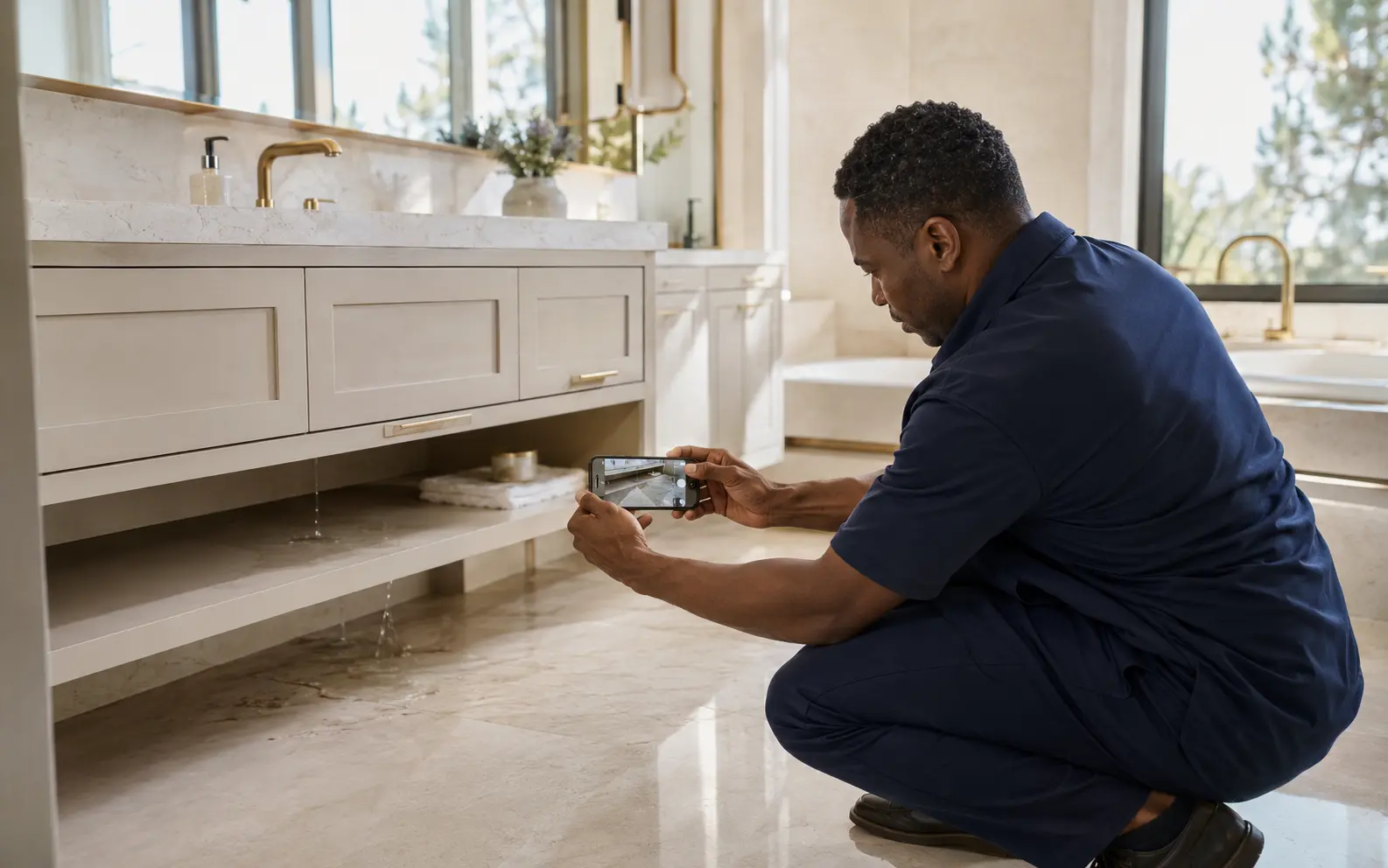
Senior estate manager documenting a visible property issue
Guest bathroomVisible moisture below vanityReview issue details
What the manager does

Answer a few safety questions, take focused photos, choose the room, and review the details before sending.

  • Photos stay with the issue
  • Ordinary photo metadata is removed
  • Urgent safety answers stop the normal process

02
Review the visible problemSee what is known and what still needs checking
PRELIMINARY ASSESSMENTAwaiting human review
VISIBLE OBSERVATIONMoisture beneath cold-water supply connection
LIKELY TRADEPlumbingCONFIDENCEModerate
Onsite confirmation required

The image does not establish the concealed source or final repair scope.

03
Approve the next stepCreate a clear request before calling a provider
WORK ORDER · REVISION 03Approved

Inspect supply connection and confirm source

  1. 01Document dry baseline and affected cabinet area
  2. 02Confirm valve, connector, or fixture source
  3. 03Return proposed scope before authorization
Client approval requiredReady for provider review
04
Track the propertyIssues, tasks, equipment, providers, and team access
DEMO PROPERTY 01

Operations overview

Authorized workspace
OPEN ISSUES03
ACTIVE TASKS08
ASSETS47
PROVIDERS12
ITEMOWNERSTATUS
Guest bath vanityEstate managerReview ready
Pool heater serviceFacilities leadScheduled
Generator inspectionChief engineerDue Friday

Fictional product demonstration. No client property, household identity, address, or confidential operating record is shown.

Who uses it

One clear process for everyone responsible for the property.

The house manager reports. An authorized person reviews. The client chooses the provider.

Senior estate manager documenting a visible issue beneath a bathroom vanity01 / HOUSE MANAGER

Report the problem.

Take the photos, choose the room, answer the safety questions, and add a short note.

Two senior estate operations directors reviewing a property record as equal peers02 / AUTHORIZED REVIEWER

Approve the next step.

Review what is visible, what is still uncertain, and what a professional should confirm onsite.

Three senior property operations professionals reviewing a provider scope together03 / SERVICE PROFESSIONAL

Start with a clearer request.

Use your own vendor or review an eligible option. The client decides who to contact and what to approve.

Two senior estate operations professionals reviewing a private residence service room as equal peers

Behind the guest-facing experience

Manage the spaces that keep the property running.

Service rooms, equipment records, recurring inspections, vendor handoffs, and follow-up belong in the same controlled operating picture as the residence itself.

What it changes

Less improvisation between the photo and the repair.

The platform creates a common operating record for the manager, reviewer, decision-maker, and any provider the client elects to contact.

  • Visible issue evidence and context captured together
  • Safety boundaries applied before ordinary workflow
  • Planning context separated from a quote or diagnosis
  • Work-order scope versioned before provider coordination

What it protects

Discretion, authority, and a usable record.

The system is deliberately narrower than a general household database. It does not need access codes, precise addresses, itineraries, financial records, or family details to prepare an issue record.

  • Approved workspaces rather than public self-service accounts
  • Minimum-necessary issue context and non-sensitive photographs
  • Human review before a work-order record or provider option advances
  • Client choice over provider contact and every repair authorization
Read the current security controls and limits

The authority boundary

The platform supports judgment. It does not replace it.

AI may organize visible observations and prepare decision support. It cannot diagnose concealed conditions, set a quote, authorize work, or guarantee a provider. Licensed professionals confirm conditions onsite, and the client retains final authority.

Private access

Request a confidential platform demonstration.

Share only a city or region and the operating problem you want to solve. Do not submit a property address, access details, security information, or confidential household records.

Do not submit passwords, access codes, identity documents, payment details, medical information, information about minors, property records, or sensitive itineraries.